
DoodlePortal for parents: their drawing, alive on your TV
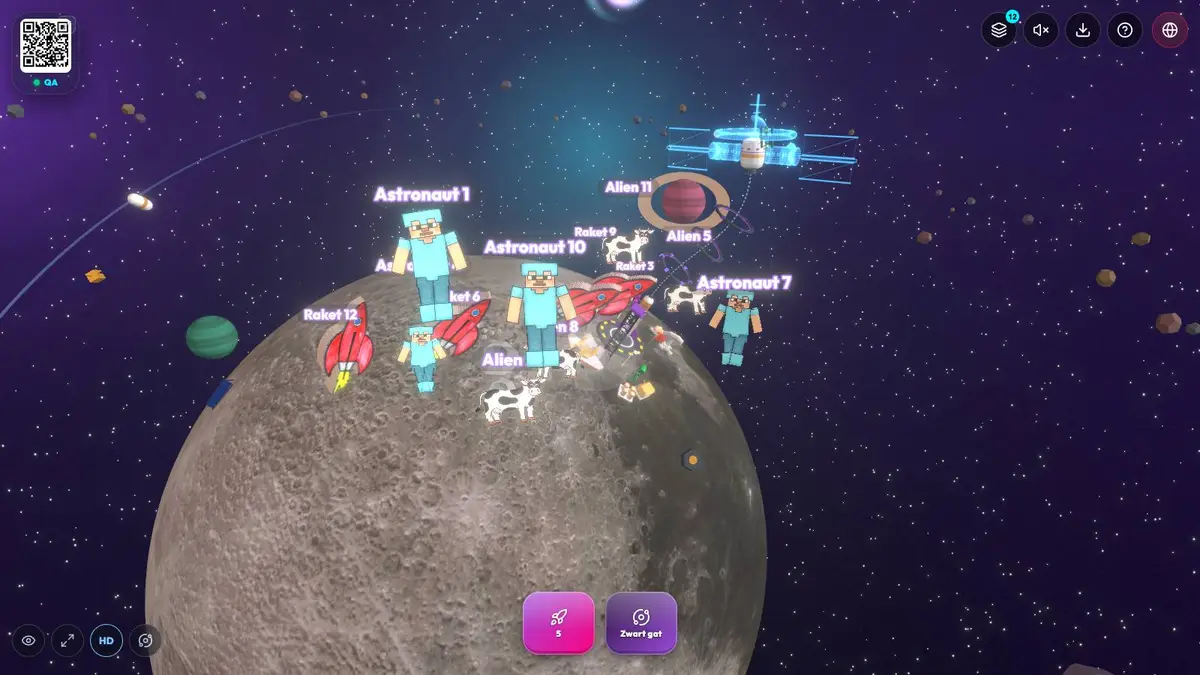
Your child draws a fish, a rocket or a monster on paper. You take a photo with your phone, and a moment later it swims, flies or stomps across the television. No app to install and nothing to sign up for to start.
What you need
- A TV with a laptop (HDMI) or a Chromecast / Google TV — or simply a laptop or tablet screen.
- A phone with a camera.
- Paper and pencils or markers. Free coloring pages help younger children.
How it works at home
The full walkthrough is in the guide drawings on the TV at home.
- Open DoodlePortal on the laptop or TV browser and choose a world.
- Scan the QR code on the screen with your phone.
- Photograph the drawing; the magic wand cuts it out.
- Launch it into the world — and keep adding drawings all afternoon.
Perfect for parties and playdates
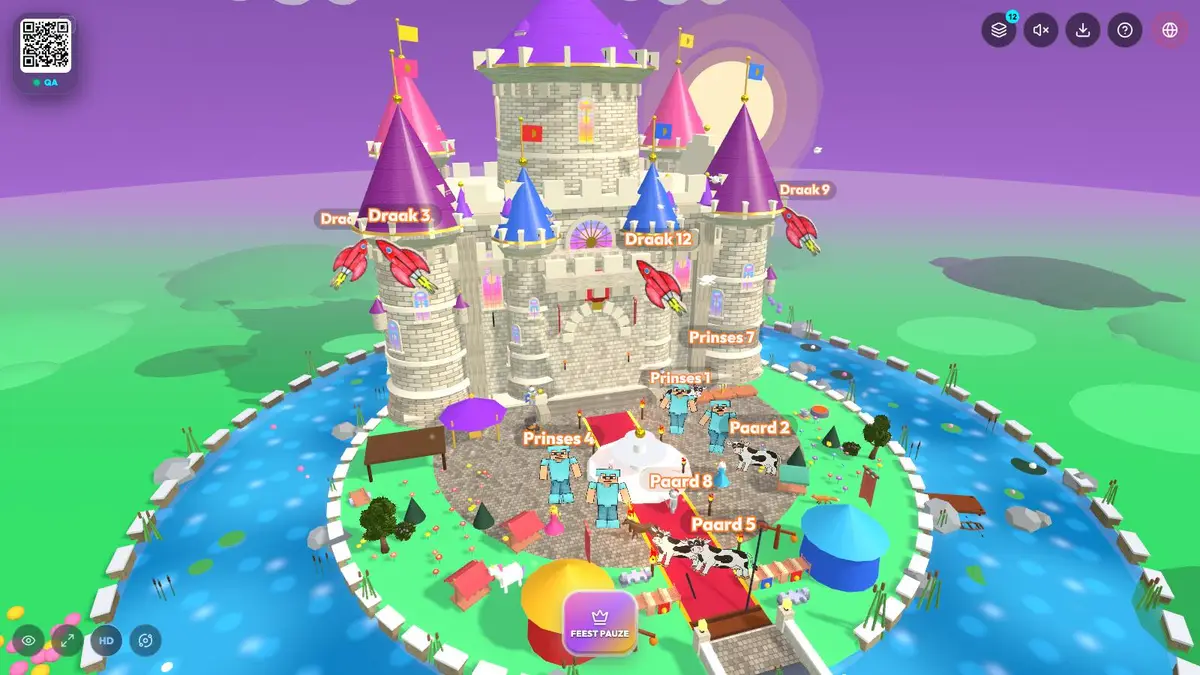
At a birthday party every guest draws their own character and they all appear together on the TV. Read the birthday party guide for a ready-made plan.
Free play allows 2 drawings at once per world. For a party you can unlock a world with 1 credit ($3.99): up to 30 drawings for 30 days. No subscription.
Safe for children
Drawings and photos are never stored online or shared; they stay only in the browser on your own screen. Children need no account. Want to keep the drawings? Create a free account and download them.
Frequently asked questions
From what age?
Children from about 3 can color a coloring page; from about 5 they draw their own characters. Parents usually take the photo for the youngest.
Can grandparents watch from another house?
The world plays on the screen where it is opened. You can share a screen in a video call, but drawings are not published online.
Do I need to pay?
No. Every world is free with up to 2 drawings at once. Unlocking a world for more drawings is optional.
Try it now — free
Open a world on the big screen, scan the QR code with a phone and watch the first drawing come to life within two minutes. No app, no account for the kids.